What do you think the Wi-Fi community will do when we find out that we can pull more Wi-Fi details using Apple Shortcut on iOS17.
[ Video version of this blog can be found here: https://youtu.be/_z3R_xprol8 ]
In 3 days this happened.
Then Dan Jones makes an even cooler Shortcut – his blog here : https://hashtagwifi.com/blog/IOS17_Wi-Fi
Then Ben Toner finds a way to push the data to his awesome software nOversight. Read his blog here: iOS17 teases with extra Wi-Fi details – Ben Toner
So in 3 days I learned enough from Dan and Ben to be able to make my twist on this new feature. You will now learn how to push data to InfluxDB Cloud, and visualize it in Grafana Cloud – with just a button, or using Siri, or automate it whenever you join any SSID anywhere in the world.
So let us begin to create a place to store the data
Where should we store the data – InfluxDB Cloud
«InfluxDB Cloud is a fully managed and hosted version of InfluxDB 2.0, the time series platform purpose-built to collect, store, process and visualize metrics and events.»
Sign up for an account here: https://cloud2.influxdata.com/signup – E-mail/password you make here will be your username. Org.name will also be important.
I recommended installing Influx CLI to be able to configure and manage your InfluxDB Cloud instance locally. https://docs.influxdata.com/influxdb/cloud/tools/influx-cli
Remember to use the correct datacenter (US or EU) in regards to GDPR etc.
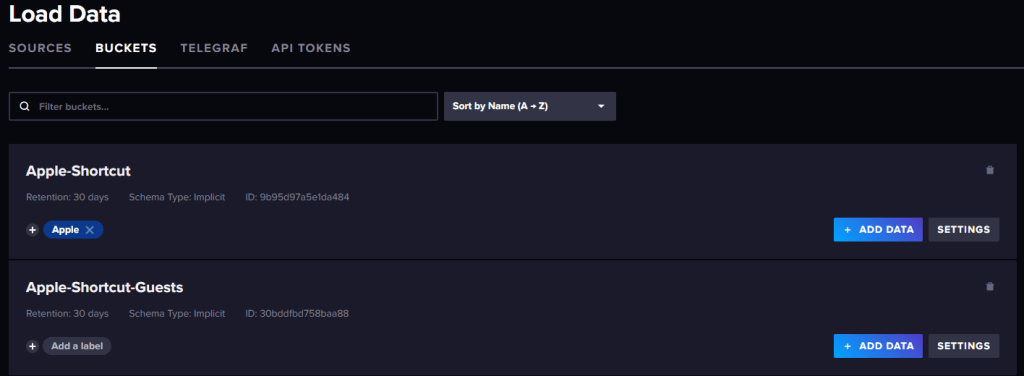
Create a Bucket
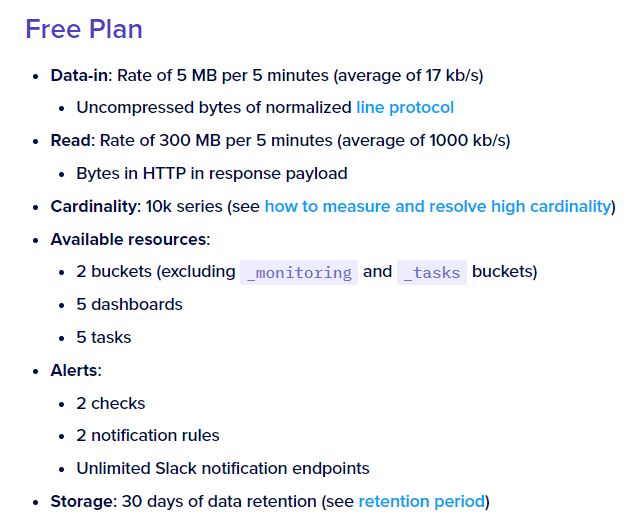
In InfluxDB we store data in Buckets, so our first thing to do is to created one here. 30 days retention is maximum allowed on a free-plan, and only two buckets.
Create two API Tokens
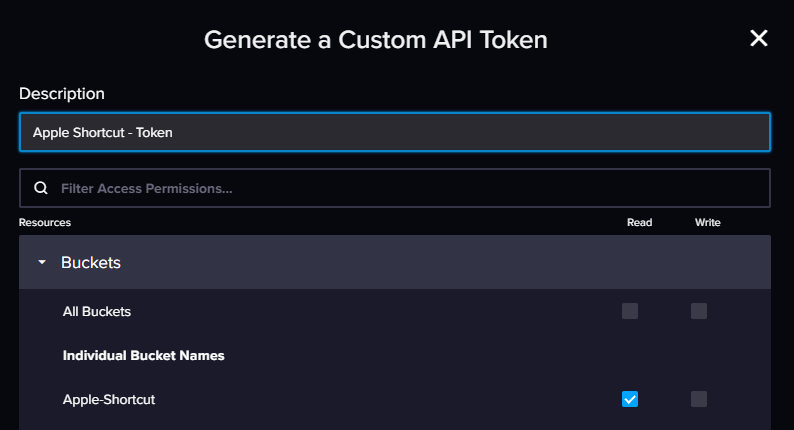
Create a write API for the Apple Shortcut so it can post data to the bucket and for Grafana you create a read API token.
Example below.
Next up Grafana Cloud
Visualize the data – Grafana Cloud
Next up is to visualize the data using Grafana Cloud (or Grafana local), sign up for an account here. https://grafana.com/auth/sign-up/create-user

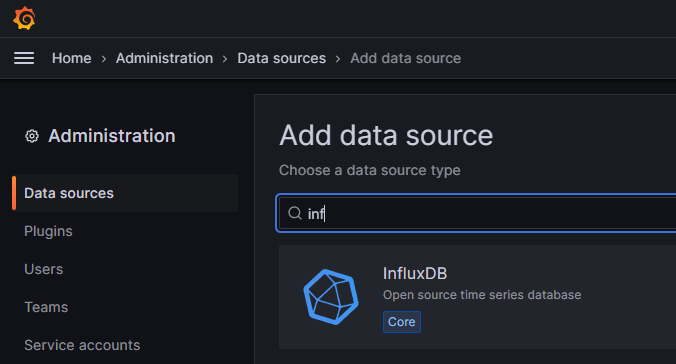
Add InfluxDB as a Datasource
A guide here, but I will cover the basics. https://docs.influxdata.com/influxdb/cloud/tools/grafana/
Add InfluxDB as a Data Source
Configure the Data Source
In «Basic Auth» you need to use the e-mail and password used in InfluxDB Cloud you registered, since the free version does not support additional users.
URL is where you decided to host your InfluxDB Cloud account.
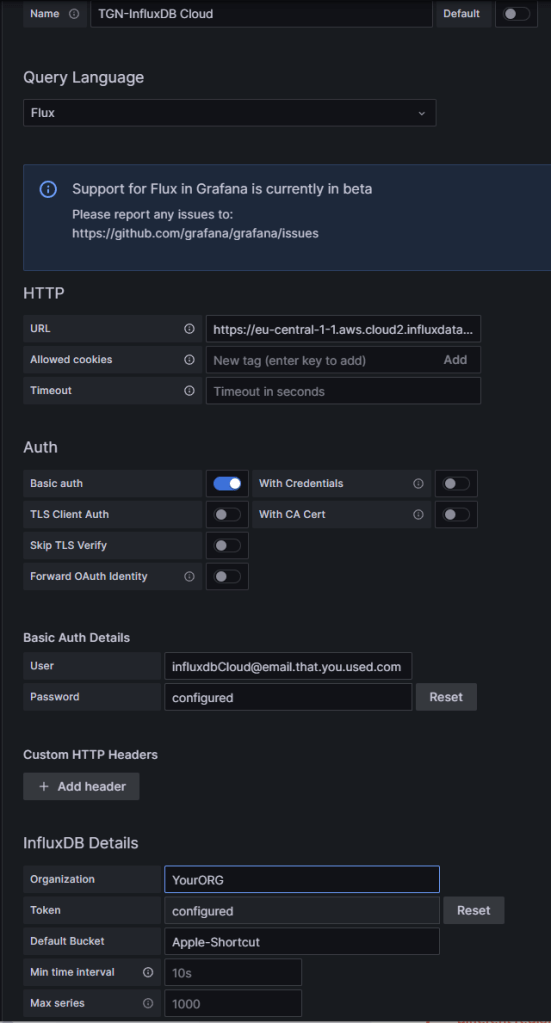
Press «Save & test» – should be green 🙂
Getting the data – Apple Shortcut
You need to use iOS17 to get all the Wi-Fi data
This Shortcut is based on the shortcut Ben Toner shares in this blog iOS17 teases with extra Wi-Fi details – Ben Toner
Get my shortcut here: Wi-Fi Scan to InfluxDB Cloud – w/HWMac
To make the shortcut work you have to change <CloudURL>, <BUCKET>, <ORG-ID> and <TOKEN>.
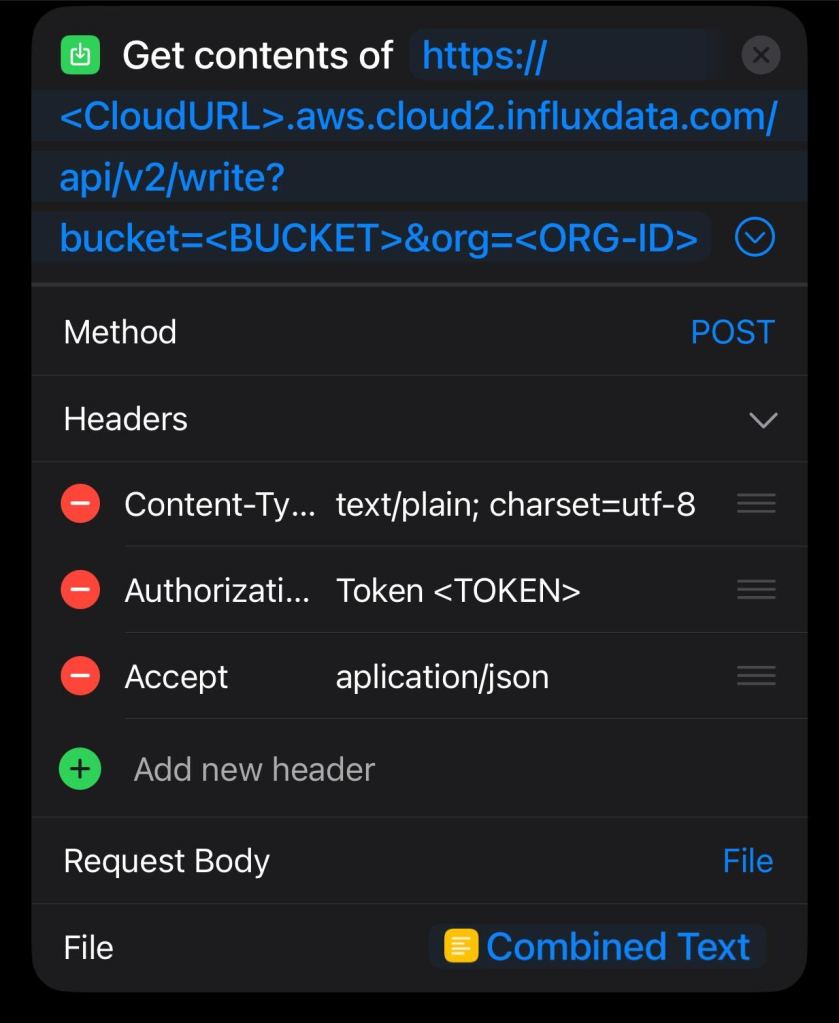
If you do NOT want to send HWMAC to InfluxDB Cloud, just remove this variable and change it to something static. For example ProMax, iPadPro etc.

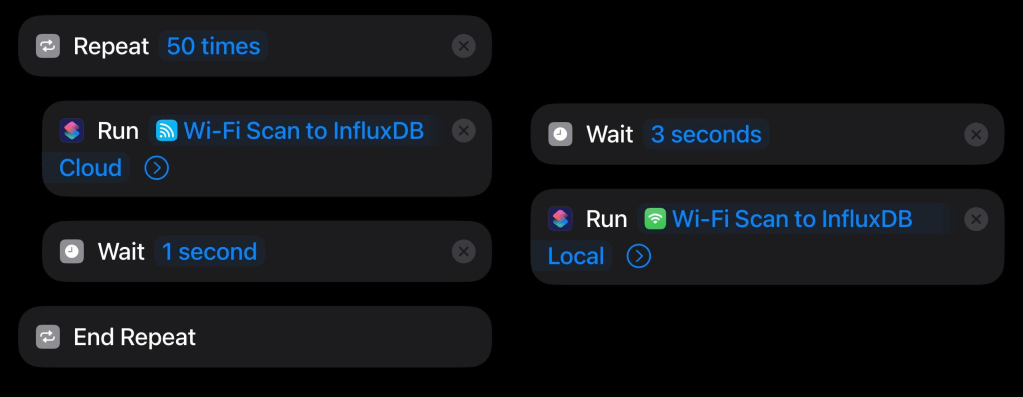
If you want to loop the shortcut with a Repeat loop, or never-ending-phone-crash-perhaps-loop (you have been warned). Play a bit with the «wait» option, and change the privacy to allow when phone is locked.
Visualize it in Grafana
This is my Grafana Dashboard.
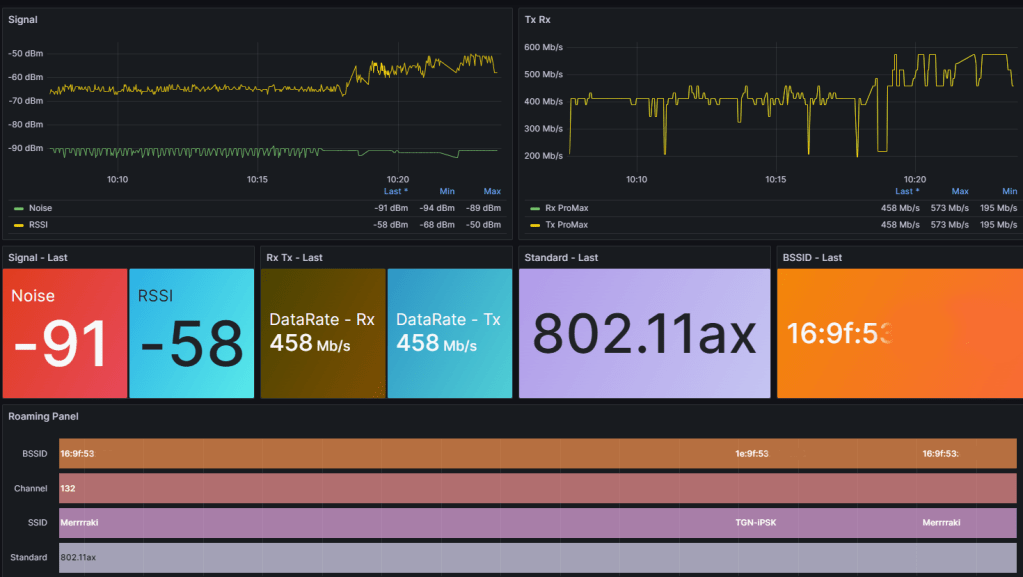
I really want to see what type of Dashboard you will make out of this, so I will not post this dashboard yet since I am not done 😉
This is how you write Flux queries for RSSI and NOISE.
from(bucket: "BUCKET-NAME")
    |> range(start: v.timeRangeStart, stop: v.timeRangeStop)
    |> filter(fn: (r) => r._measurement == "data")
    |> filter(fn: (r) => r._field == "NOISE" or r._field == "RSSI")
    |> filter(fn: (r) => r.iPhone == "$Apple_Device")
The variable «$Apple_Device» is made to create a drop-down in Grafana if multiple clients use this shortcut.
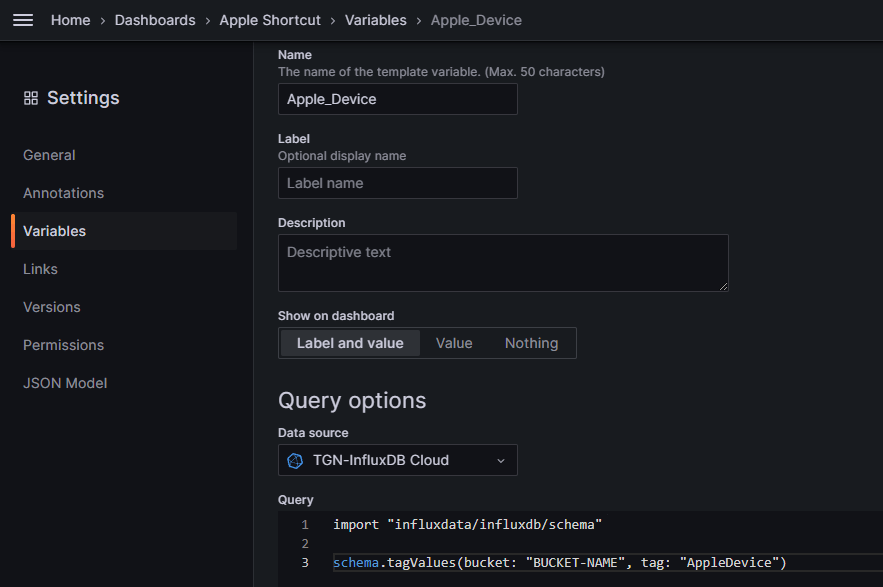
import "influxdata/influxdb/schema"
schema.tagValues(bucket: "BUCKET-NAME", tag: "AppleDevice")
Without variable
from(bucket: "BUCKET-NAME")
    |> range(start: v.timeRangeStart, stop: v.timeRangeStop)
    |> filter(fn: (r) => r._measurement == "data")
    |> filter(fn: (r) => r._field == "NOISE" or r._field == "RSSI")
    |> filter(fn: (r) => r.iPhone == "ProMAX13")
These Flux queries can be created in InfluxDB Cloud – Data Explorer, but for some weird reason it does not create Flux queries for me anymore, but it works in InfluxDB local. But use the Data Explorer to validate if data is collected and stored in the bucket.
Now have fun with Slack Bots, Automation and create your own cool Grafana Dashboards with data from our Apple devices.
I can’t wait to see what you end up creating – Have fun!
Note – Picture is AI generated (of course)
 Wireless TechDectives
2 kommentarer om “Push Wi-Fi details to the cloud with iOS17”