A couple of days ago was my first time playing around with automation to control my new CMNA equipment.
My goal was to turn on PoE on my Meraki switch so it could boot up my AP I use as a spectrum-analyzer with Cisco Spectrum Expert.
For people that has a good grasp about automation this is a very easy task, but I do not have any knowledge about this, and my plan was to not to learn it from people that probably could have explained it in a few seconds like Data Knox (subscribe to his channel) but rather Google till you make it.

Actually, this video explained it perfectly but I did not get it to work – the solution was extremely easy.
First off you need to enable access to the Cisco Meraki Dashboard API and generate an API key in your profile
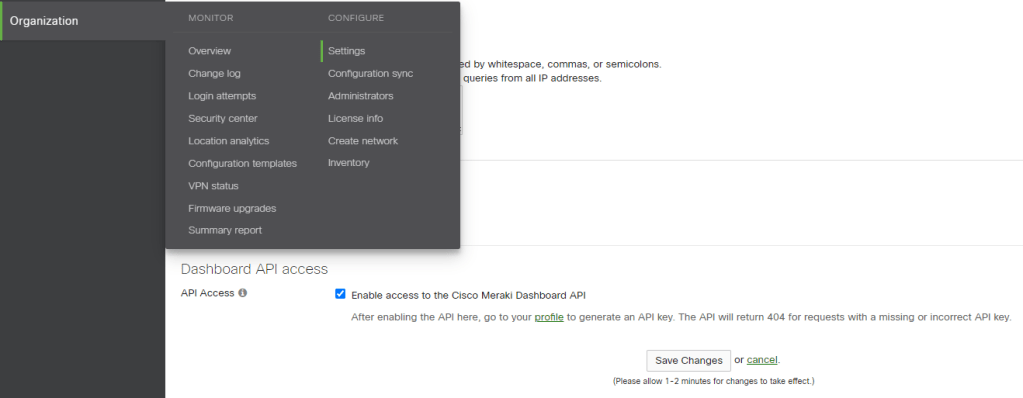
Then to start understanding how all this works use Postman! (I played around just with Apple shortcut in the beginning, but doing this was way smarter)
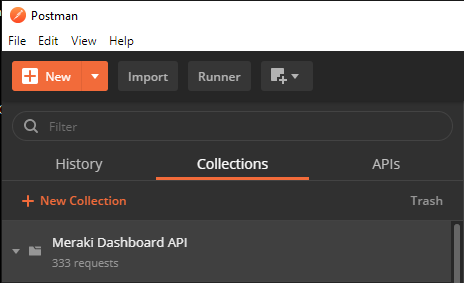
I installed Postman on Windows 10, and used this guide – Getting Started with Dashboard API and Postman to add the dashboard API Postman collection. This guide explains everything you need to get going, so I will not repeat it on this blog. I made my own environment called TGN Postman lab (TGN for TeiGeN that is) and added the API key and the baseUrl so you do not need to add this all the time when trying to GET something from your Meraki Dashboard or POST/PUT (change something).

When you follow the guide you get the Meraki Dashboard API Collection added to Postman – it will look like this.
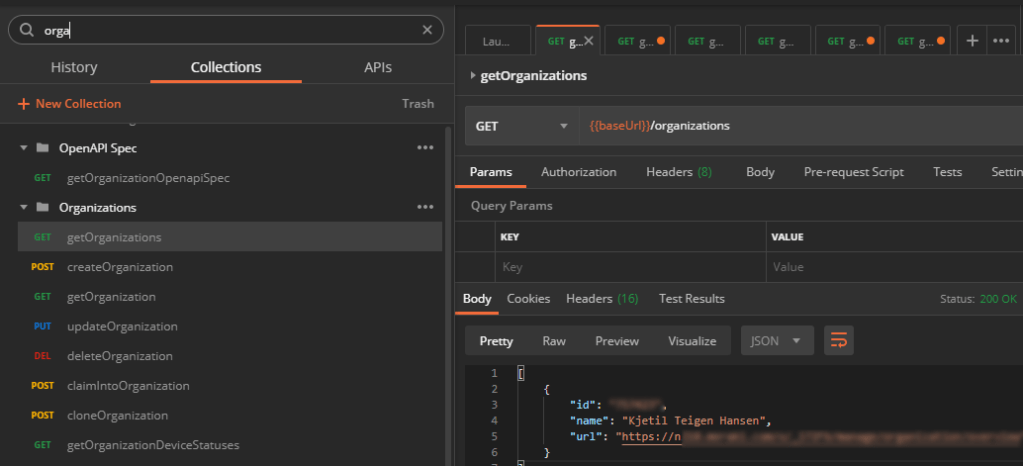
Then start by doing the getOrganizations to get your org.id (you would need this later, a few numbers usually 6521452 for example) and the url to get the organization shard. That number you see when logging in to your dashboard. For example https://n230.meraki.com or any other number.
Then do the {{baseUrl}}/organizations/org.id/networks/ to get the network.id (looks like this L_00000000000000000)
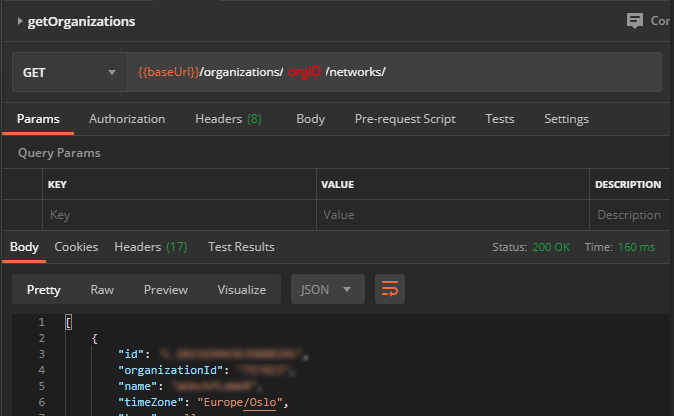
Yes, you add the org.Id you got from the last GET into this GET and get the network.ID (probably many different ways to get this)
With these numbers you can do fun stuff like seeing connectionStats on 5Ghz in the last 86400 seconds (24 hours) on SSID with id.0

Here I needed to use the networkId I got from the last GET, so that Is why I mentioned it here because you need things like Serial numbers to the switch, AP or FW, Org.ID, networkId etc when you play around and try different GET, PUT, POST.
Now that we got all of that out of the way, how did I turn on the PoE on my switch with Siri?
The thing that got me troubleshooting for a bit was that a simple GET with Postman worked like this (picture) on Postman and Shortcut on iOS (baseUrl is api.meraki.com as you can see in the beginning). Serial is the serial of the switch, you find this in your dashboard.
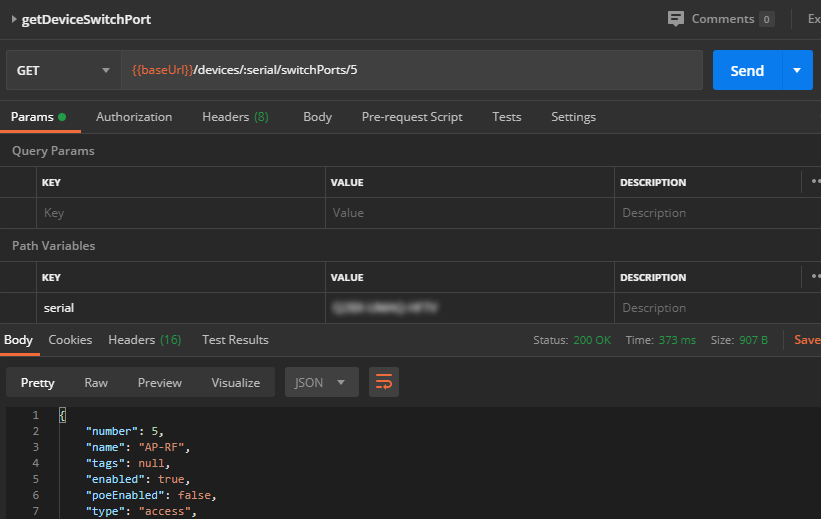
Then a simple PUT to change poeEnabled from false to true is done like this in Postman (picture explains it easy enough)
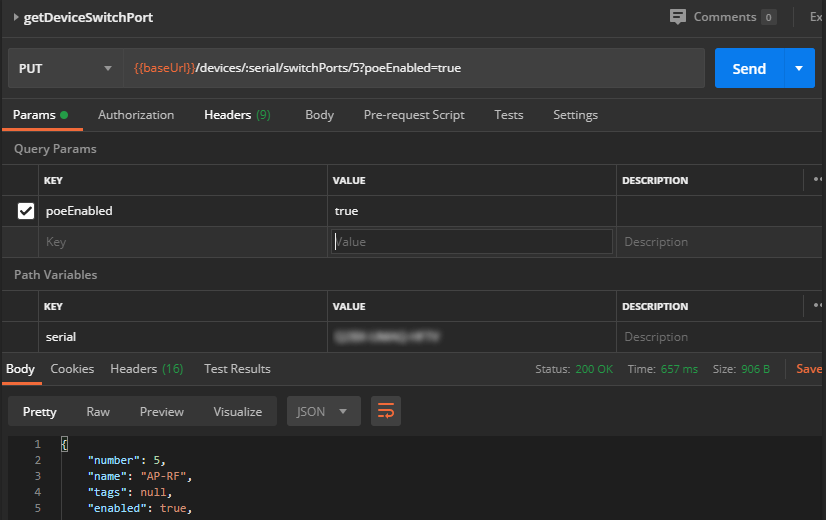
The api.meraki.com as a baseUrl works with GET on Postman and Shortcut on Apple, but the «secret» that was also in plain sight (doh!) on the Youtube video was to use YOUR organization shard as the Url when you use PUT on Shortcut. Using the api.meraki.com do not work when using PUT.
The nxxx.meraki.com you see when logging into your dashboard or when you did the first GET in Postman works of course. Here I added the serial of the switch in the URL (Get URL Content is the name in Shortcut to make these) and the thing I wanted to change in the Request Body. For example I could have changed the VLAN on the port, disable it, change it to a trunk and much more. (Just look at the info you get from a GET that you can change)
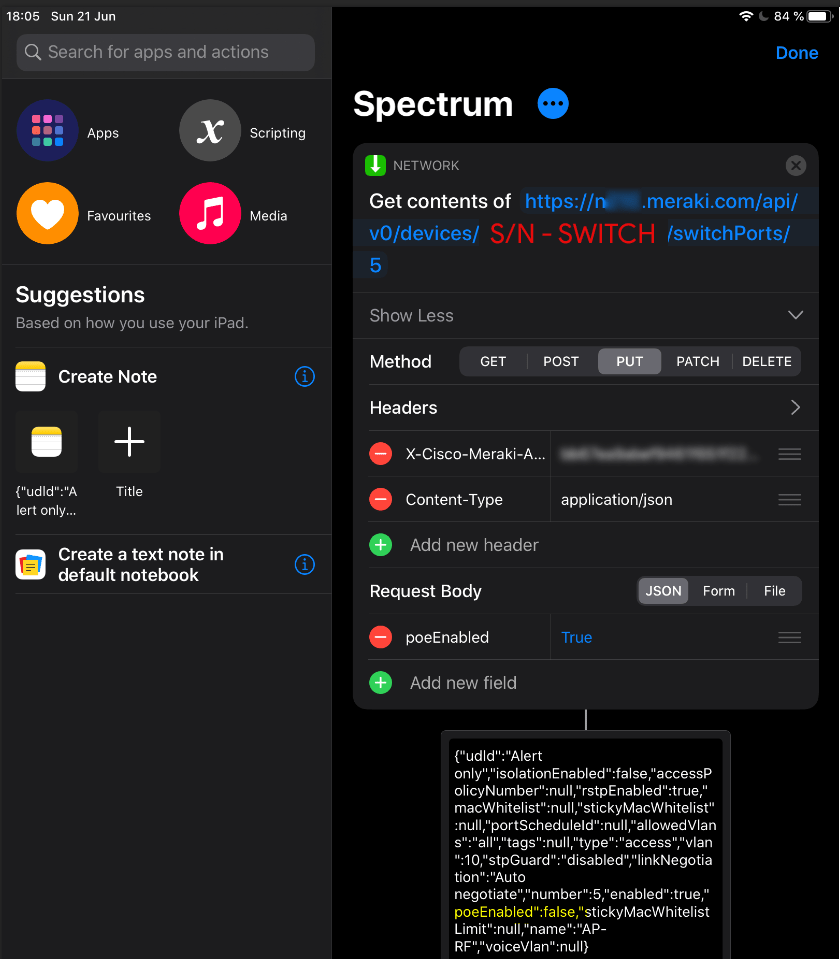
After you made this (btw, you can also add a lot of other different stuff to this shortcut-flow, like sending Wake-On-Lan to your lab-pc, dimming the lights and start some music. That will be a flow I will call – LabTime. You do this by adding more flows on the top left corner.
Here are my shortcuts (the No Lab turns off the PoE on port 5 and start Netflix, lol) and the Spectrum turns on PoE on port 5 on my switch.
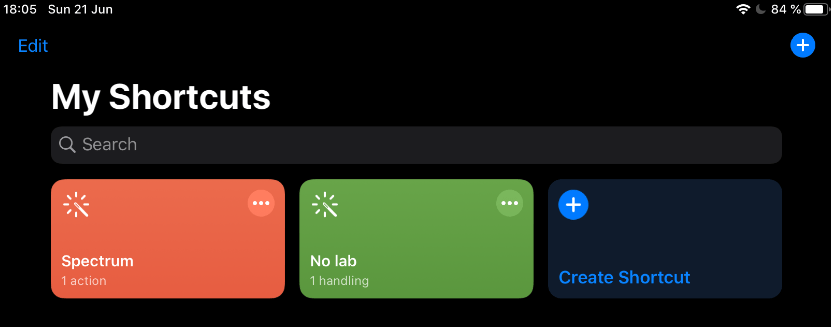
Siri reacts to «Hey siri. Turn on «shortcut name»
In short. After a few hours of playing around with Apple Shortcut, Postman and Meraki my mind expanded with ideas – this was completely new to me, and this will open up so many doors about automating really dump stuff, just how I like it.
Links
 Wireless TechDectives